August 2023 release - Series alerts, document labels and more
ProFID series alerts
This is the biggest addition to this release. There is a dedicated article on series alerts.
Document labels
A label is an arbitrary keyword that can be associated to any number of documents. This is useful for further characterizing documents with attributes which do not exist as fields in the document. One key advantage of labels is that they are searchable from the document list page.
Before you start creating labels, it is important to concert with other users of your ProFID instance to agree on a common set of labels. This will ensure that labels are used consistently and that they are useful to everyone.
Labels can be used for a variety of purposes. For example, you can use them to organize work: a non-expert might add the "requires analysis" label to documents which need input from a document analysis expert. The label can then be used by experts to filter the document list page to only show documents which require analysis.
Furthermore, labels can be scoped. Scoped labels are special labels which have a constraint on the document type, country, and/or fraud type on which it can be applied. One potential application of scoped labels is to categorize documents based on their comparability in terms of automated image processing. For example, one might create a scoped label that only applies to Swiss IDs and differentiates the "2023 version" of the document from the older ones which have a radically different design. In future versions of ProFID, categorising documents this way will enable the use of "smart" document sets, which will automatically update based on those labels or other filtering criteria. The update of document sets will automatically trigger Padif analyses to be re-run.
Rich text editor
Until today, it was (almost) not possible to format text in ProFID. This is now officially possible thanks to the new rich text editor. It allows a wide range of possibilities to format text: headers, text alignment and colours, bullet points, etc. It is available in the following places:
- The different alert fields: general information, rapid identification element and measures.
- The series material and contextual profile fields.
The previous version of ProFID allowed to use a syntax called "markdown" to format text in the series material and contextual profile fields. This was a non-documented feature but was used by some users. Those fields have been migrated to the new rich text editor for seamless transition.
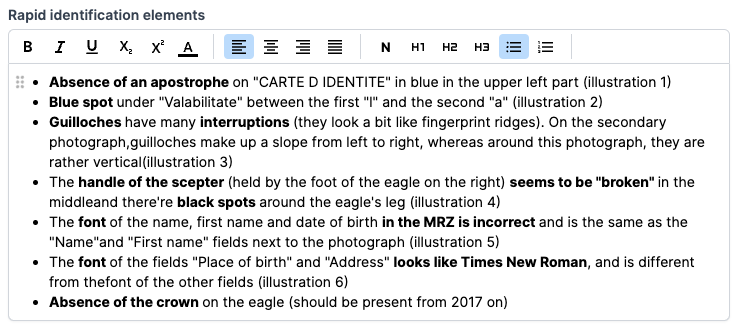
Example of the rich text field
New dedicated pages for images and attachments
ProFID now features a new dedicated edition interface for standardized and extra images on documents, as well as images and attachments on series. This new user-friendly interface creates a clearer delimitation between view and edit pages.
Prevent lost work
ProFID has forms to fill data about documents and series. It is not uncommon to spend time filling a form only to accidentally lose everything by navigating to another page or by closing the browser's tab. ProFID will now warn you if you are about to lose your changes.
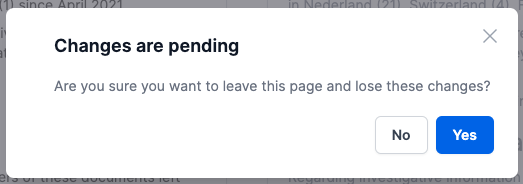
You will be asked for confirmation during risky navigations
Improved session restoration
For security, ProFID logs you out after 30 minutes of inactivity. An overlay inviting you to log in again appears on the page when that happens. When multiple tabs are open, you had to log in again in each tab. This is no longer the case: you will only have to log in once and all tabs will be automatically restored!
Improved document and series lists
We show more fields in the document list (document number, operation) and on series (aliases). Before this addition, some fields were searchable but not displayed in the results, creating confusion.
New type of light for extra images
We added 2 new types of light for extra images, in alignment with the FADO terminology:
- Coaxial
- Oblique
Other new pages
- We added a new scan details page available from the scan list.
- We added a standardized image details page available from a document detail's page. Hover the image to access the link.
Bug fixes
- Fixed a bug which allowed multiple users with the same email address to be created, if they were written with different casing.
- Fixed erroneously updating document's date of addition to a series when non-series fields are updated.