November 2023 release - Document sets, Padif, batch labels and more
Manual and dynamic document sets
Manual document sets have long existed in ProFID, but lacked some key features and were not very easy to construct. This release significantly improves the usability of setting up document sets, and introduces dynamic document sets, a new type of document set which automatically updates the list of documents based on user-chosen filters. This opens up new use cases for Padif analyses, where new documents can be compared to other documents in the set as soon as they are added.
List of document sets
The list of document sets is now presented in a table, with search, sort and filter features.
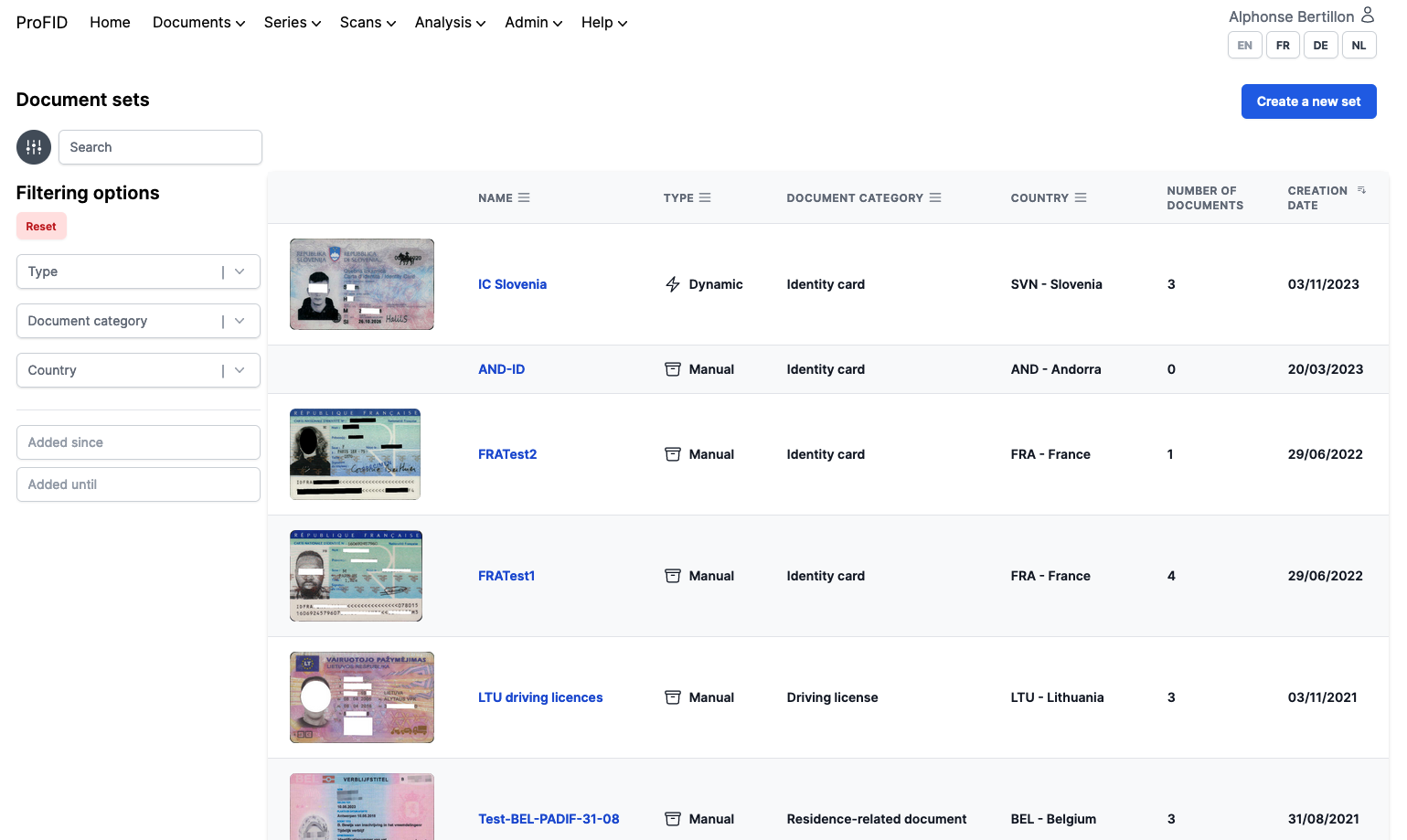
List of document sets
Manual document sets
Manual document sets used to be hard to construct because:
- The metadata of documents was not accessible from the document set interface.
- The list of documents was not searchable or sortable.
- It was not possible to exclude documents, which made them appear among valid candidates.
All those issues have been addressed in this release. Document set members are now displayed in a table with metadata, candidates can be searched or sorted, and documents can be excluded from the candidate list. Candidates are managed in a large slide-over panel. On reasonably large screens, this allows to see the documents already in the set and candidates at the same time.
Excluded documents can still be re-included to the candidate list if a mistake was made.
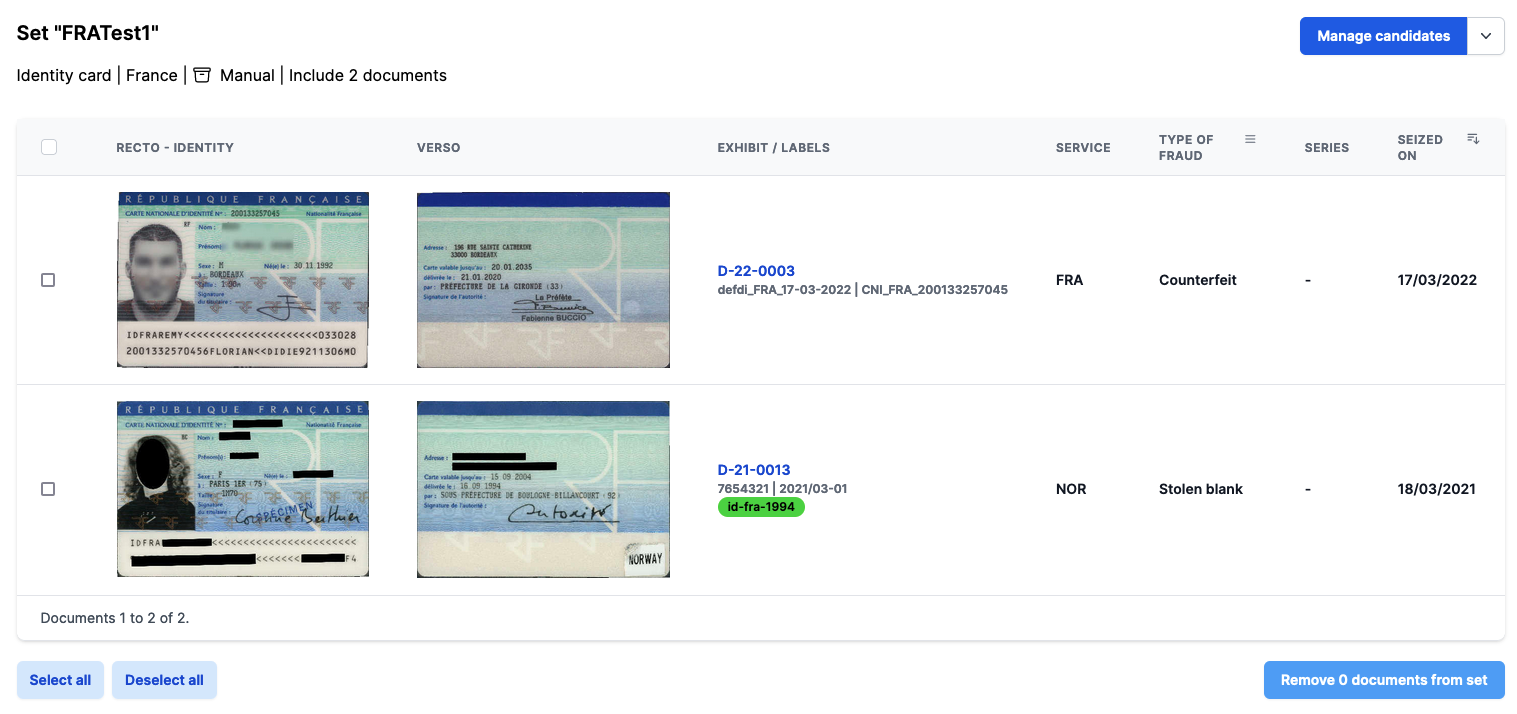
Managing the document set's document list
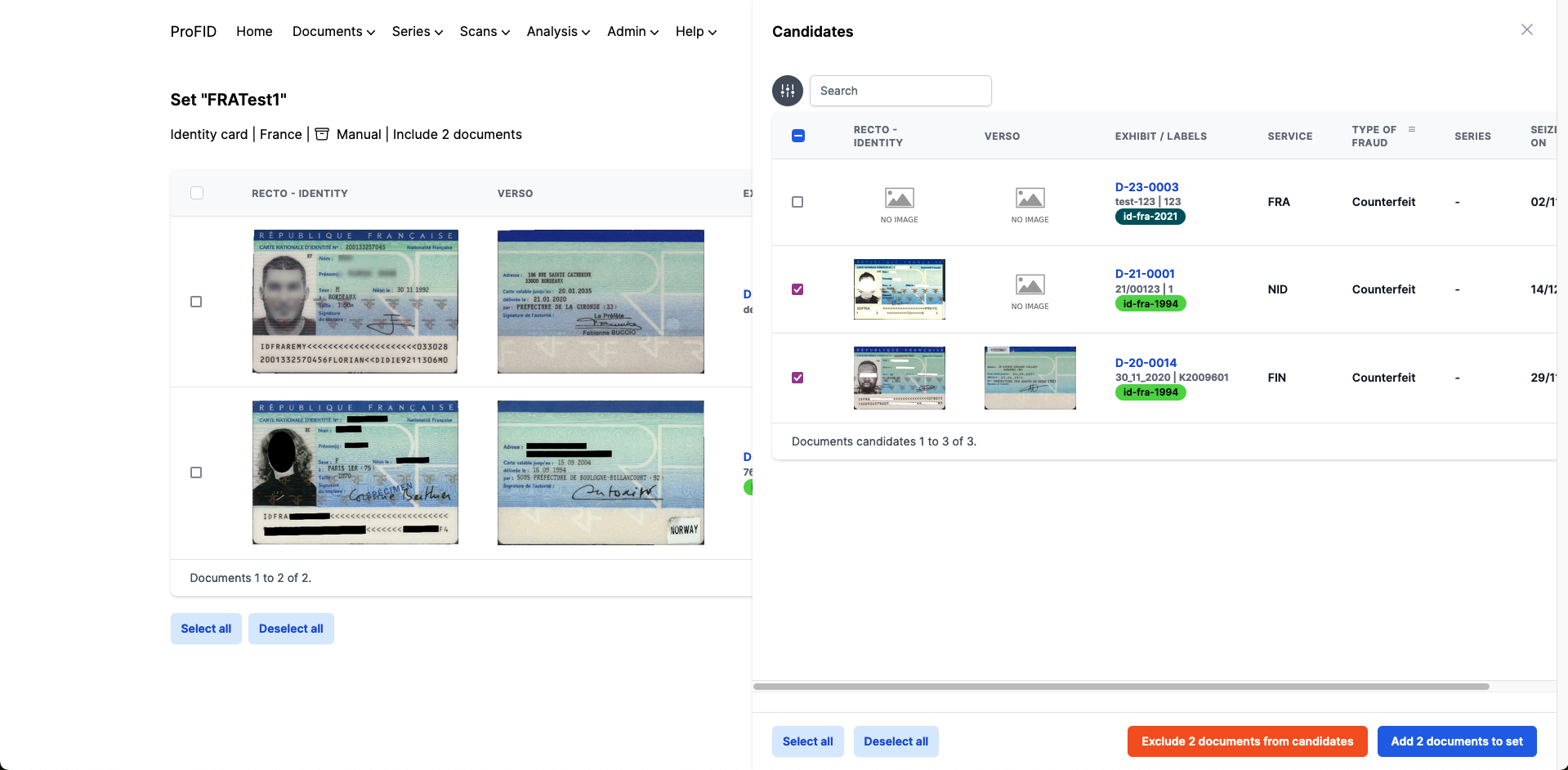
Managing candidates
Dynamic document sets
Dynamic document sets is a brand-new feature which allows users to have document sets populated without having to manually add each document to the set. The principle is simple, you select a set of filters similarly to how you would search for documents, and the set will automatically be populated with documents matching the filters.
Similarly to manual sets, it is possible to exclude documents from the set. Doing so will prevent the document from being part of the set, even though it matches the filters.
As mentioned in the previous release, there are valid use cases for using labels as filters for dynamic document sets, and this is now possible.
Documents of a dynamic set are displayed in a similar manner than manual sets.
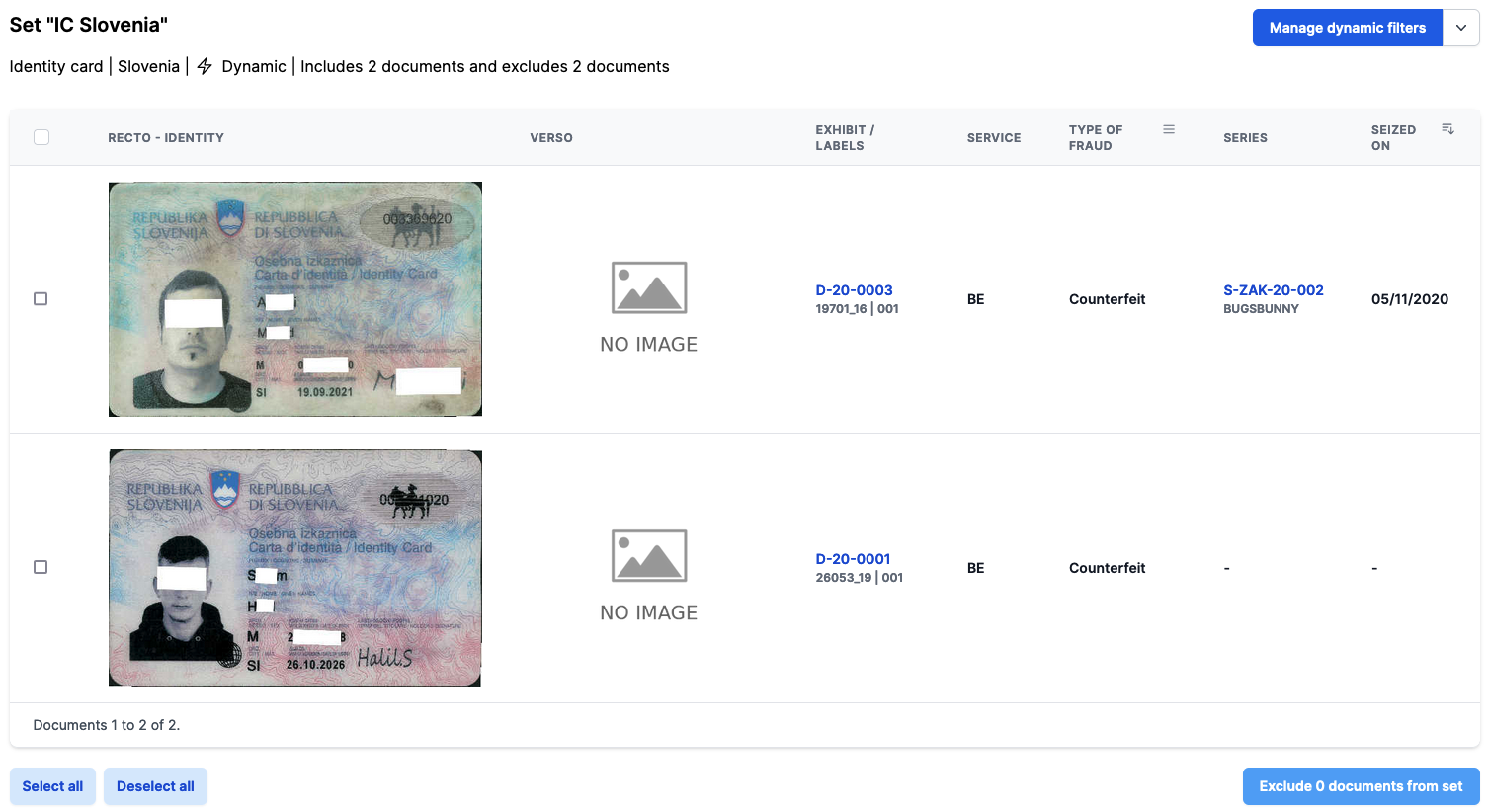
Dynamic document set view
The filters of a document set can still be edited after the set has been created.
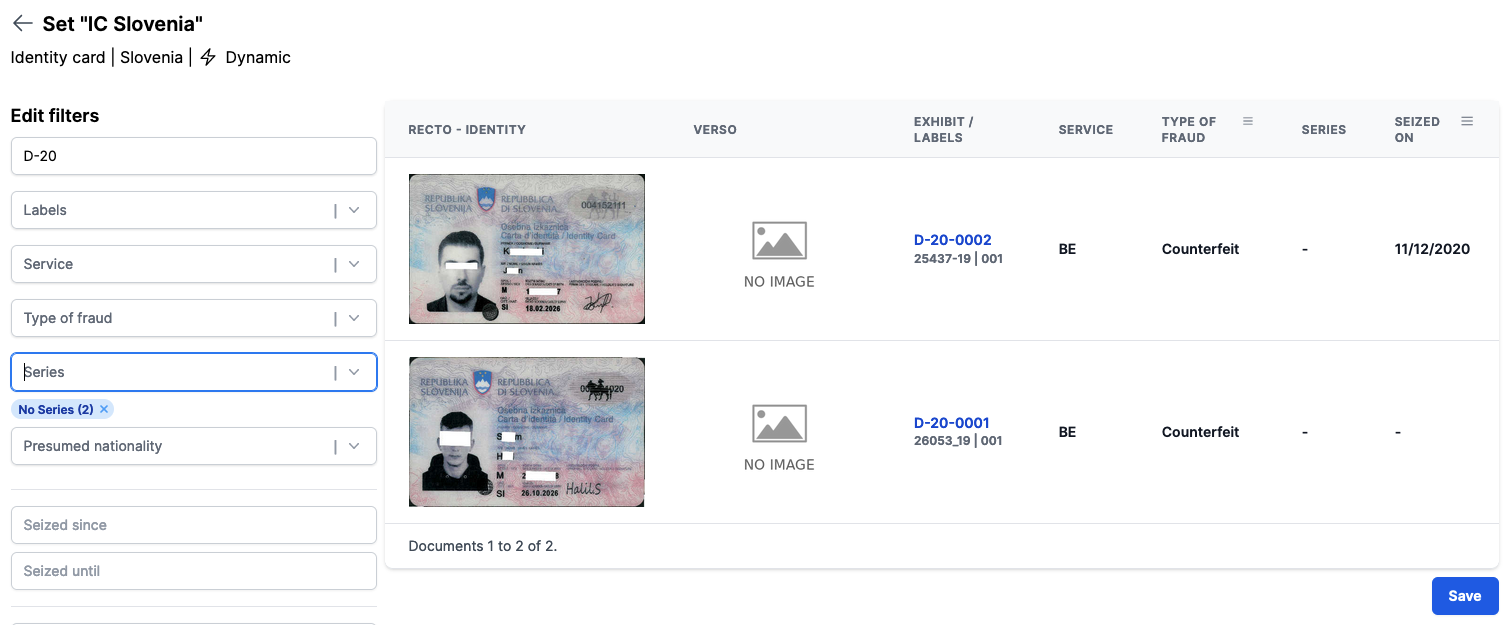
Dynamic document set managing filters
Other document set improvements
We also added a couple of other improvements to document sets:
- Document sets can be renamed
- A document can be added to a manual set directly from the document's page.
Padif
The selection of the reference document has been improved. The images are no longer obstructed by labels and additional information about the document is displayed.
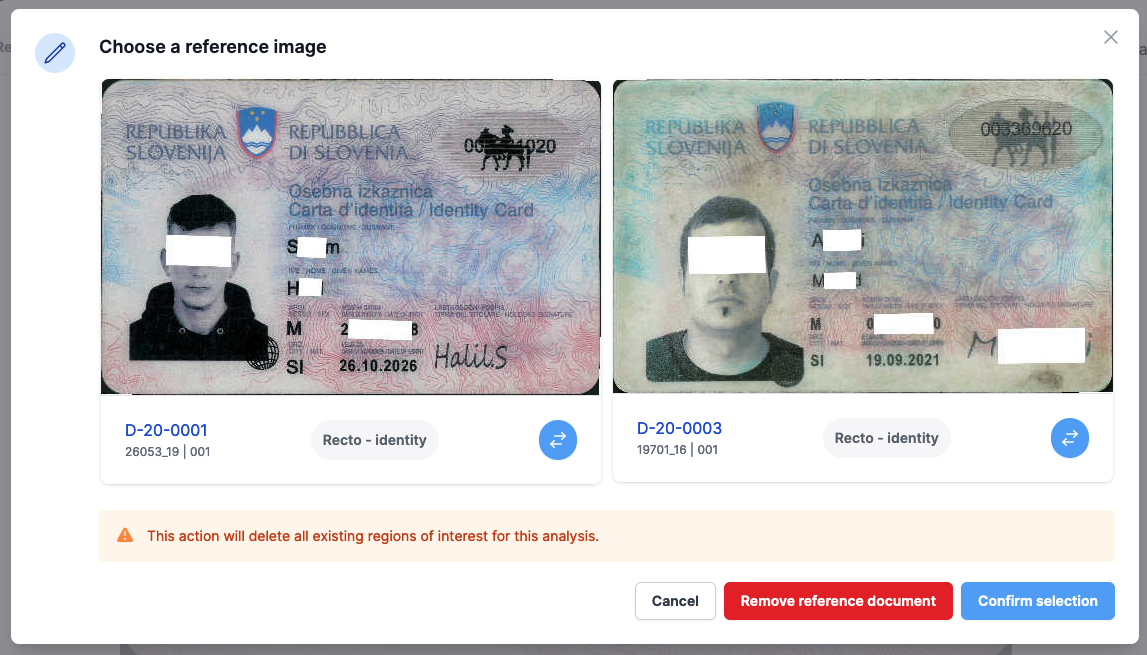
Dynamic document set managing filters
Documents
- It is now possible to assign / remove labels to / from multiple documents in one action from the document list page.
- The search input in document list page is now split into terms which can be looked up in all relevant fields. The result contains the items which matched all terms.
Series
As for the document list page, the search input in the series list page list is now split into terms which can be looked up in all relevant fields. The result contains the items which matched all terms.
Alert
New toolbar button to select predefined sentences in "Measures" field.
Other small improvements
- Display a warning when the user attempts to change the scope of a label.
- Invalidate user session when an admin resets the user's password.
- Padif analyses can now be deleted.
Bug fixes
- Add and fix translations on series alerts.
- Fixed a crash in the alert edit page which occurred in some circumstances when the edited language was changed.
- Fixed an error in the alert page on rapid identification image edition modal form which occurred when the form was submitted without setting the image.
- Publishing an alert now changes the edition date of the series.
- Fixed invalid values on home stats page when no documents were assigned to any series.
- Allow removing service from users in the admin list of user page.
- Fixed the behaviour when clicking on label. The list of documents is now filtered on this label as expected.
- Fixed missing count for the unspecified option in filters.
- Fixed the download button on the scan details page. It was downloading a lighter version instead of the original one.