Editing a series
Create new series
Create an empty series
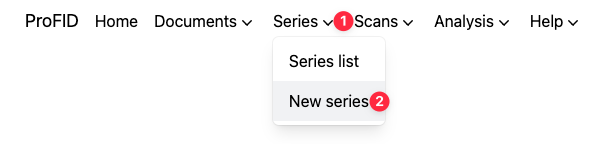
To create an empty series, click on the "New series" button from the menu.
You will be asked to fill some required fields. As an example:
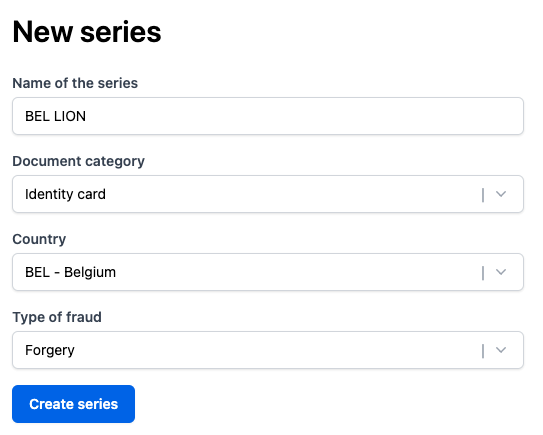
Since series represent material links, it is linked to a single document category, country, and type of fraud. However, it is possible to add documents from other categories, countries, and types of fraud to the series.
Once the series is created, you can then start describing the series, or adding documents to the series.
Create a series from a document
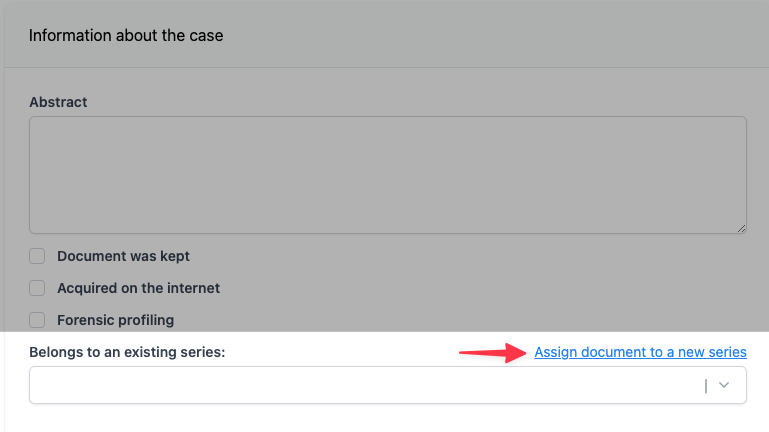
If the series does not exist yet, click on "Assign document to a new series".
A dialog will appear, asking you to fill the required fields necessary to create a new series, similar to creating an empty series. Since some fields in series are related to the documents they contain, some of the series's fields will be prefilled based on the document's information.
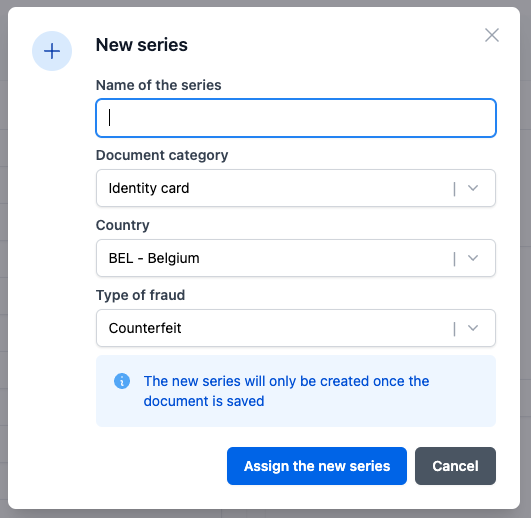
Fill in the name of the series and review the other fields, then click on "Create series". This will not create the series yet. In order to create the series and persist the link, you have to save the document.
Adding documents to a series
Go to the document of interest and start describing it. In the section "Information about the case", select the series to which the document belongs. Once the document is saved, the link between the document and this series is established.
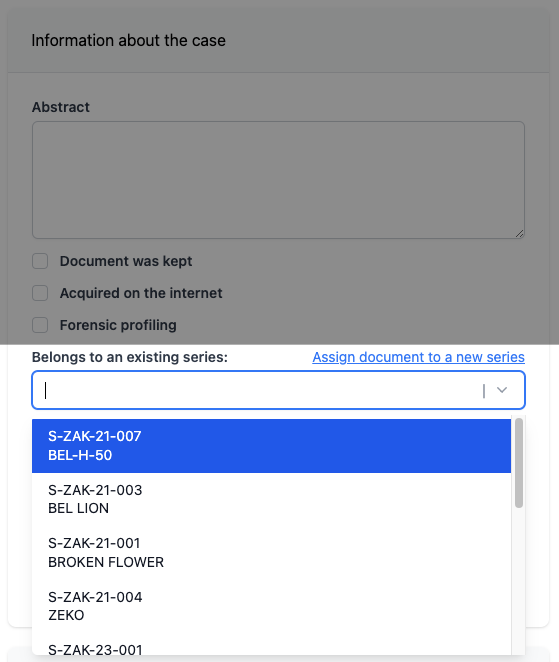
You can use the name but also the alias of the series to find a match in the dropdown list.
Describing a series
After navigating to a series's page you can start describing it by clicking "Edit".

The following fields can be edited:
- Some general information:
- Document category concerned by the series (for example: identity card)
- Type of fraud concerned by the series (for example: counterfeit)
- Country of the document concerned by the series (for example : Italy)
- The managers of the series. Those are the users who are responsible for the series.
- The contextual profile. A summary of the circumstantial elements relative to the series, such as the global type of user, the context of detection etc...
- The material profile. The physical and/or visual features that are specific to the documents belonging to the series and that are determining in establishing new links.
It is particularly important to fill in the contextual profile and series material profile descriptions. Add images to illustrate the material features that are typical of the series, as shown in the following section.
Adding images and files to a series
It is highly recommended to add images or other documents (e.g. PDF) illustrating the material profile of the series.
Images and documents can be easily uploaded by clicking on the "Add files" button.
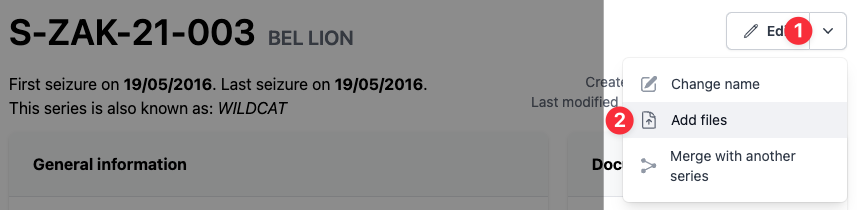
Please note that the aim here is not to put complete images of the documents but rather detailed images of the specific material features of the series (e.g. particular defect of the background printing, particular error, particularity of the UV security, etc.).
These images can be annotated with arrows or boxes if you consider it useful to show features in the context of the surrounding parts of the document.
Renaming a series
It is possible to rename a series by clicking on the "Change name" button.
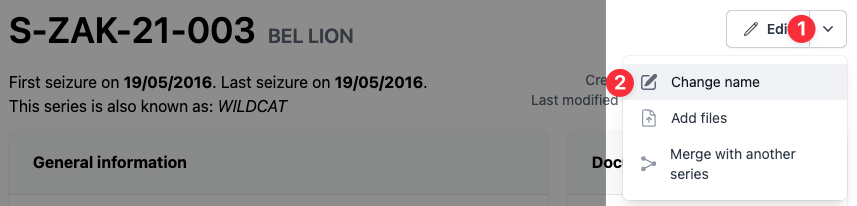
When a series is renamed, an alias is automatically created with the old name. This alias can be removed later from the series's edit page.