Standardized images
Standardized images are the document images that are derived from scans. They are called "standardized" because they are extracted using a standard protocol described in the Scanning documents page.
Editing standardized images
To start editing a standardized image, start "describing the document", as explained in Describing documents
Scroll down to the "Standardized images" section.
Rotating a standardized image
Hover the image to rotate and click on the "Rotate" button.
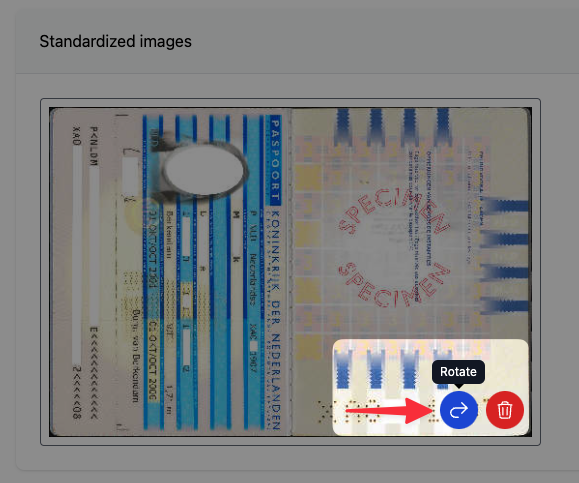
A dialog will open where you can rotate the image by using arrows that control the rotation direction.
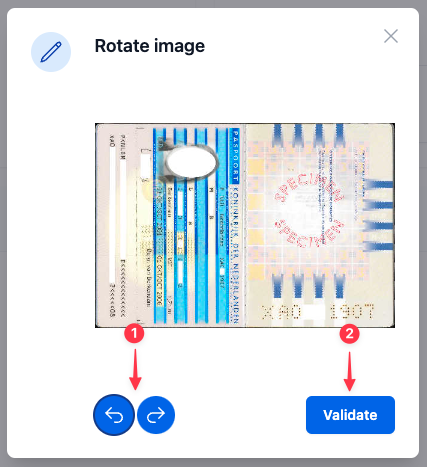
After you are done with the image, click on "Validate" to save changes.
The documents are already rotated to appear straight during their extraction from the scan. This tool only allows to rotate by increments of 90 degrees to correct improperly oriented images.
Deleting standardized images
The second option is to delete an image completely. Just click on the "Delete" button as shown below and after confirming your choice the image will be gone.
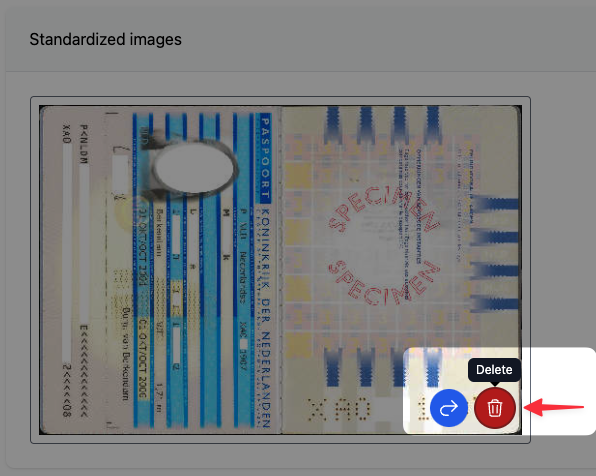
By deleting the image you will also delete the full scan associated with the image!